
Business & growth
React Native 0.80 freezes the old architecture. Your upgrade checklist starts here.
- React Native
- Mobile
- Engineering
- TypeScript
- Upgrades
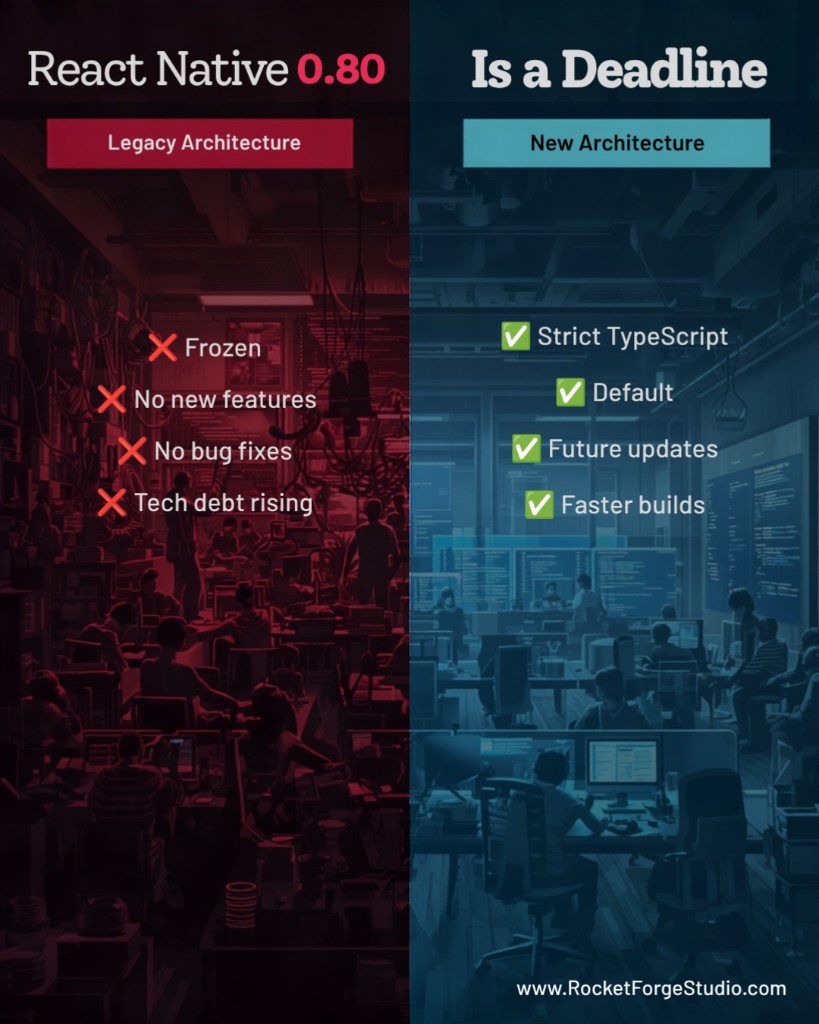
React Native 0.80 freezes the old architecture. If your app still depends on Legacy Architecture habits, this release is the calendar event—not another minor bump.
[React Native 0.80](https://reactnative.dev/blog/2025/06/12/version-0.80) shipped on June 12, 2025 with a clear theme: stabilize the public JavaScript API, prepare teams for New Architecture as the only long-term path, and ship measurable performance wins. For agencies and product teams maintaining mobile apps alongside web work, the release is less about flashy features and more about debt you can no longer postpone.
React 19.1.0 lands in React Native
React Native 0.80 aligns with **React 19.1.0**, bringing current stable React into the mobile runtime. Developer-facing wins include **owner stacks**—better error context in development when something throws in a component tree.
One practical caveat: owner stacks can conflict with `@babel/plugin-transform-function-name` when it is enabled in the default React Native Babel preset. Watch for odd dev-only stack traces after upgrade; fixes are expected in later releases. Test your error reporting flow in a dev build before you assume production behavior changed.
Deep imports are now warnings—fix them now
Imports like `import { Alert } from 'react-native/Libraries/Alert/Alert'` now trigger warnings in the JavaScript console and through ESLint. The recommended pattern is a **root import**: `import { Alert } from 'react-native'`.
The goal is a smaller, stable public API surface. APIs that were only reachable through deep paths may be removed later—React Native is collecting feedback on what still breaks. Run a repo-wide search for `react-native/Libraries` and `react-native/...` paths before you merge the upgrade.
Opt-in Strict TypeScript API (worth testing this sprint)
0.80 introduces an **opt-in Strict TypeScript API**: types generated directly from React Native source, tighter and more accurate than the historical typedefs. It does not change runtime behavior—it is a one-time typing migration that will likely become the default later.
Enable it in `tsconfig.json`:
- Extend `@react-native/typescript-config`
- Add `"customConditions": ["react-native-strict-api"]` under `compilerOptions`
- Fix new type errors on a separate branch before you block the main upgrade
Expect renames and shape changes—`Linking`, for example, moves to a single interface in Strict mode. Deep import paths will not type-check under Strict API at all, which is another reason to clean imports early.
Legacy Architecture is frozen
New Architecture has been the default since 0.76. In 0.80, **Legacy Architecture is frozen**: no new features and no bug fixes on the old path. DevTools will surface warnings when you call APIs that do not work correctly under New Architecture.
If you have been deferring migration, treat 0.80 as the deadline conversation—not the starting gun. Inventory native modules, third-party libraries, and custom bridges that still assume the old renderer.
Performance and engine changes
**Android:** Interprocedural Optimization (IPO) for React Native and Hermes can shrink APK size by roughly **1 MB**—meaningful for store downloads and update fatigue.
**iOS:** Experimental third-party dependency prebuild can cut cold build time on strong machines (reports around **12%** faster). Enable with `RCT_USE_RN_DEP=1` before `pod install`—treat it as experimental until your CI proves it stable.
**JavaScriptCore:** 0.80 is the **last release with official JSC support** in core React Native. Future versions expect JSC through the community package `@react-native-community/javascriptcore`. **Hermes** is the default and the recommended engine—plan engine assumptions in libraries and crash tooling accordingly.
Breaking changes to scan before merge
**JavaScript:** `exports` field added to `react-native` package.json (minor Metro/Jest resolution impact). `eslint-plugin-react-hooks` updated to v5.2—expect new lint failures. Component names can no longer start with `_` in some cases.
**Android:** Kotlin **2.1.20**, several classes converted to Kotlin (nullability changes), `StandardCharsets` removed (use `java.nio.charset`), some classes made internal.
**iOS:** `RCTFloorPixelValue` removed from `RCTUtils.h`.
None of these are glamorous. All of them show up in upgrade PRs at 4 p.m. on a Friday if you skip the scan.
A practical upgrade checklist
Use the [React Native Upgrade Helper](https://react-native-community.github.io/upgrade-helper/) to diff template files between your version and 0.80.
- Refactor **deep imports** to root `react-native` imports
- Try **Strict TypeScript API** on a branch; fix type breaks before merge
- Read **Legacy Architecture warnings** in dev and map each to a New Arch task
- Confirm **Hermes** is intentional; plan JSC only via community package if you must keep it
- Run **clean rebuilds**: `pod install`, clean Android/iOS artifacts, then `npx react-native run-android` / `run-ios`
- Re-run **lint, unit tests, and one real device smoke path** (auth, payments, offline if applicable)
New projects: `npx react-native@0.80 init MyApp`. Expo users should check canary SDK compatibility before assuming parity.
What this means if you also ship web
Teams that split attention between Next.js marketing sites and React Native product apps often postpone mobile upgrades until a client escalation forces it. 0.80 rewards the opposite: small, early steps on imports and New Architecture reduce the cost of the big jump later.
The motion and perceived speed of your app still depend on implementation quality—fast code with sloppy animation timing still feels broken. But 0.80 is about platform stability and build health, not UI polish. Get the platform right first.
The contrarian takeaway
React Native 0.80 is not a feature fireworks release. It is a **boundary marker**: stable JS API, frozen legacy path, Hermes as the engine default, and TypeScript strictness on the horizon.
Fix deep imports now. Test Strict TS on a branch. Plan New Architecture migration like a product deadline—not a someday refactor. If you want a second opinion on upgrade sequencing for a client app or internal product, send a note.